







Rabby Wallet Review 2026: Is This the Best EVM Wallet for DeFi Users?
Choosing a crypto wallet in 2026 is no longer just about where to store tokens. For DeFi users, the bigger question is what happens before they sign: does the wallet show the right chain, the real balance change, the contract being approved, and the risk behind the transaction?
That is where Rabby Wallet stands out. Built by the DeBank team, Rabby is a self-custodial wallet for Ethereum and EVM-compatible networks with automatic chain switching, transaction simulation, approval management, hardware wallet support, GasAccount, Swap, and a DeFi-first interface.
This Rabby Wallet review looks at what changed by May 2026, how safe the wallet is, who should use it, where it beats MetaMask-style workflows, and where users still need to be careful.
| Key Takeaways – Rabby Wallet is a self-custodial EVM wallet built for active DeFi users who need clearer transaction previews, automatic chain switching, and approval controls. – As of May 17, 2026, Rabby’s browser extension remains open source, its GitHub release history is active, and its Help Center says Rabby has integrated 90 networks. – Rabby’s strongest features are transaction simulation, balance-change preview, hardware wallet support, GasAccount, Swap, and approval-risk warnings. – Rabby is safer than a basic hot wallet interface, but users still need to avoid fake apps, protect seed phrases, review approvals, and use a hardware wallet for large balances. |
What Is Rabby Wallet?
Rabby Wallet is a non-custodial wallet for Ethereum and EVM-compatible chains. It is available as a browser extension, mobile app, and desktop app, although some features differ by platform.

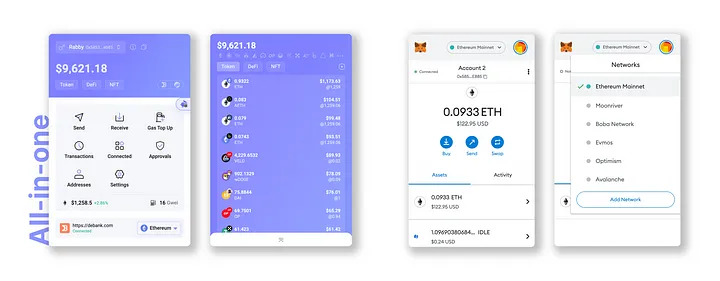
The wallet is built for users who often move between DeFi apps and networks. Instead of asking users to manually switch chains for every dApp, Rabby can detect the network needed for an interaction and switch the wallet context automatically.
Rabby’s main selling point is visibility before signing. When a user approves a transaction, Rabby tries to show balance changes, approval details, contract risks, and warning signals before the signature is sent.
Current Rabby Wallet Status in 2026
As of May 17, 2026, Rabby is an active project with public code repositories under RabbyHub. The main Rabby browser extension repository on GitHub describes Rabby as an open-source browser plugin for the DeFi ecosystem and lists the latest release as v0.93.89, published on May 15, 2026.
| Area | 2026 status |
|---|---|
| Browser extension | Available, with official setup guide |
| Mobile app | Available, with separate mobile setup flow |
| Desktop app | Available, but does not import seed phrases or private keys directly |
| Supported chains | EVM-compatible networks, with 90 integrated networks listed in the Help Center |
| Custom networks | Supported for testnets and networks not yet integrated |
| Hardware wallets | Supported across extension, mobile, and desktop, depending on device |
| Swap | Available on supported networks |
| Bridge | Available only on select networks |
| GasAccount | Available for paying gas with deposited USDC/USDT balance |
| Security tools | Transaction simulation, approval management, risk alerts, whitelist, scam warnings |
This is a major update from the older version of this review, which described Rabby in broader and sometimes vague terms. The current article should focus on what Rabby actually does for crypto users: managing EVM assets, interacting with dApps, checking transaction outcomes before signing, and reducing common DeFi mistakes.
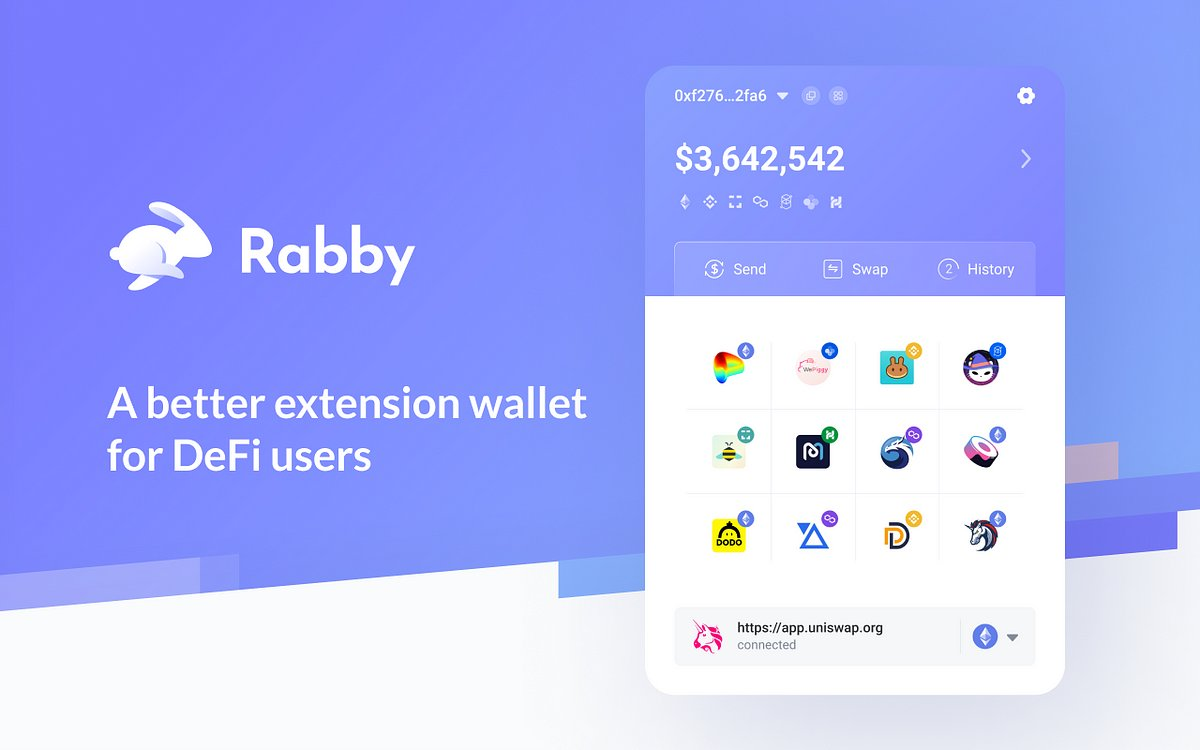
The difference is important. Rabby is not compelling because it says “multi-chain” on the box. It is compelling because multi-chain DeFi is messy: one account can hold positions across many networks, interact with many contracts, and carry old approvals that the user no longer remembers.
How Rabby Wallet Works
Rabby works as a self-custodial wallet interface. That means users control their private keys or connect an external signing device, rather than giving custody to Rabby or DeBank.
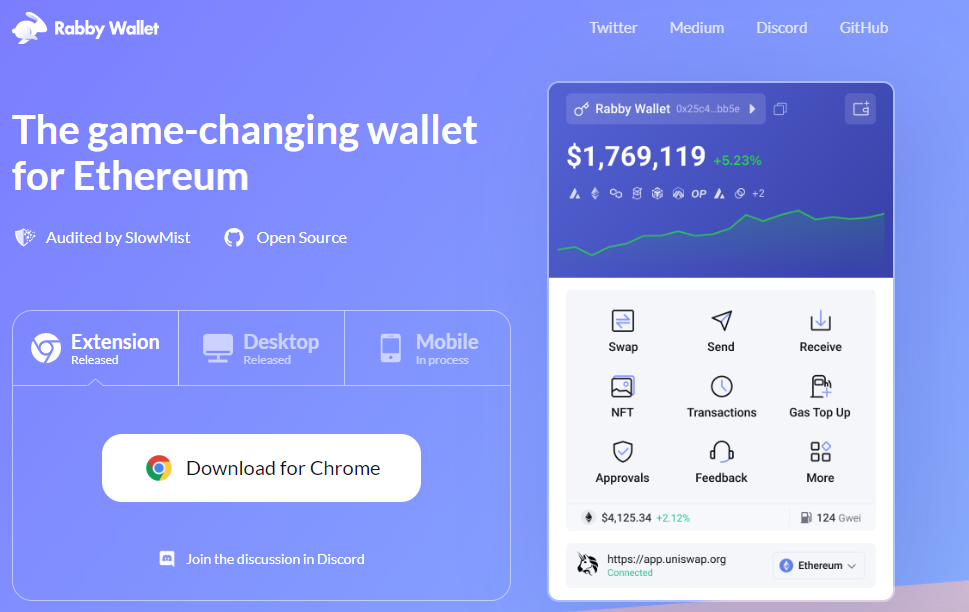
The current extension setup is documented in Rabby’s official get started with Rabby extension guide, not outdated third-party summaries.
The workflow depends on how the user sets it up:
- Create a new wallet address in Rabby and back up the seed phrase offline.
- Import an existing seed phrase or private key into the Rabby browser extension.
- Connect a hardware wallet such as Ledger, Trezor, Keystone, OneKey, BitBox02, or other supported devices.
- Use Rabby Desktop to manage connected addresses without importing a seed phrase or private key directly.
- Connect Rabby to DeFi apps and review transaction simulations before signing.
Once an address is added, Rabby automatically displays many tokens, NFTs, and DeFi positions across EVM chains. This reduces the need to manually import every token contract, although users can still add custom tokens by contract address when an asset is not shown automatically.
For wallet comparisons, Coincu’s MetaMask review is a useful benchmark for users migrating from MetaMask-style EVM workflows.
Main Rabby Wallet Features
| Feature | What it does | Why it matters |
|---|---|---|
| Automatic network switching | Detects the network a dApp needs and switches context automatically. | Reduces wrong-chain mistakes for users moving across Ethereum, L2s, and other EVM networks. The official supported chains and tokens page says Rabby has integrated 90 networks. |
| Transaction simulation | Shows expected balance changes and contract actions before signing. | Helps users spot suspicious transfers, approvals, or unexpected asset movement. |
| Approval management | Lets users review and revoke token approvals. | Useful for reducing stale unlimited approvals. Its best practices to stay safe guide tells users to review approvals and protect seed phrases. |
| Risk alerts | Flags risky contracts, approvals, or transaction behavior before signing. | Adds friction at the right moment, but users still need to verify details themselves. |
| Hardware wallet support | Supports major devices including Ledger, Trezor, Keystone, OneKey, BitBox02, and others. | Better for large balances because private keys stay off the browser. Rabby’s hardware wallet support page is the source to verify current models. |
| GasAccount | Lets users deposit USDC or USDT to help pay gas across supported networks. | Reduces multi-chain gas friction. Rabby’s official GasAccount guide explains the deposit and gas-transfer flow. |
| Rabby Swap | Lets users swap tokens from inside the wallet and review output, gas, slippage, and price impact. | Convenient for DeFi users, but not every network is supported. Rabby’s Swap guide should be checked for current execution details. |
| Whitelist | Lets users mark trusted addresses and re-confirm transfers to non-whitelisted addresses. | Helps reduce address mistakes, but it cannot protect funds if the seed phrase is compromised. |
Hardware wallet setup still deserves special attention. Coincu’s report on the G. Love fake Ledger app scam shows how one fake wallet download can become a major loss.
Is Rabby Wallet Safe?
Rabby is safer than many basic hot wallets because it combines open-source code, transaction simulation, risk alerts, approval tools, hardware wallet support, and third-party audits. But it is still self-custodial: Rabby cannot reverse a bad transaction, recover a leaked seed phrase, or protect users from every malicious signature.
Use this short safety checklist:
| Do | Why |
|---|---|
| Download Rabby only from the official website | Fake wallet apps and cloned websites are common. |
| Use a hardware wallet for large balances | Private keys stay away from the browser. |
| Review approvals regularly | Old unlimited approvals can become dangerous. |
| Treat gasless signatures carefully | A transaction with no gas fee is not automatically safe. |
| Never share seed phrases or private keys | Anyone with the seed phrase can move the funds. |
For users comparing wallet-safety tradeoffs, Coincu’s Guarda Wallet review offers another internal wallet reference, though Rabby is more EVM-focused.
How to Set Up Rabby Wallet Safely
Option 1: Hardware wallet plus Rabby
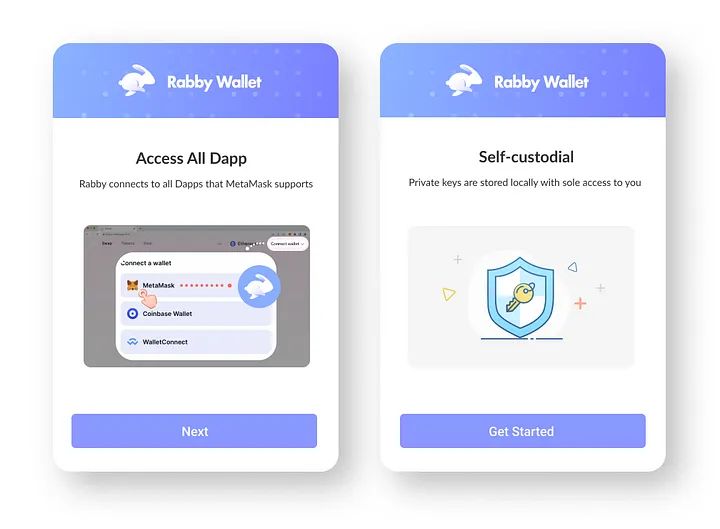
This is the best option for users with meaningful funds.
- Download Rabby only from the official Rabby website.
- Connect a hardware wallet instead of importing a seed phrase when possible.
- Confirm addresses on the hardware device screen.
- Use Rabby’s simulation and balance-change preview before every signature.
- Keep long-term holdings separate from high-risk DeFi activity.
Option 2: Import an existing wallet
This is convenient but riskier than hardware-wallet use.
- Download Rabby from the official website.
- Choose the import option in the browser extension.
- Import the seed phrase or private key only inside the official Rabby extension.
- Set a strong local password.
- Review the first 50 derived addresses and adjust HD path settings if your address does not appear.
- Immediately review approvals and revoke old or suspicious permissions.
Migration details can change by platform. Rabby’s official migration guide explains import limits, HD paths, and Desktop restrictions.
Option 3: Rabby Desktop
Rabby Desktop is useful for managing connected addresses, but the official migration guide says Rabby Desktop does not support importing seed phrases or private keys. Users who need seed phrase or private key import should use the browser extension.
This distinction should be included in the article because older setup guides often imply that every Rabby product supports the same import flow.
Rabby Wallet Pros and Cons
| Pros | Cons |
|---|---|
| Strong DeFi-focused interface | Still requires careful user behavior |
| Automatic EVM network switching | Swap and Bridge do not support every displayed network |
| Transaction simulation before signing | Simulations and risk warnings are not perfect |
| Balance-change preview | Hot-wallet use is still riskier than hardware-wallet use |
| Approval review and batch revoke | Users can still sign malicious permits or approvals |
| Hardware wallet support across many devices | Some hardware wallet setups require bridge apps or browser permissions |
| GasAccount helps with multi-chain gas friction | Initial deposits still require native gas |
| Open-source browser extension | Audit reports are not a guarantee against future vulnerabilities |
Rabby Wallet vs MetaMask
Rabby and MetaMask both let users interact with Ethereum and EVM dApps, but they feel different in daily use.
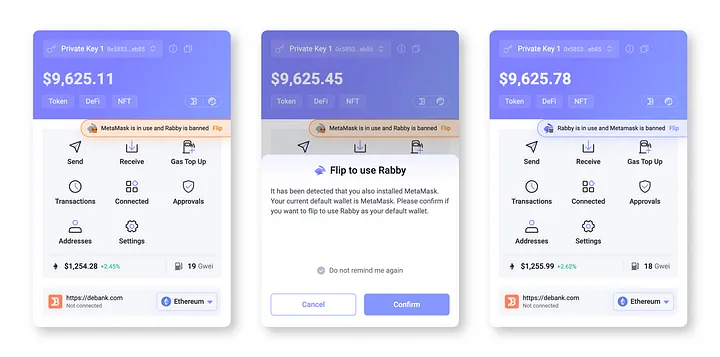
MetaMask remains the most widely recognized EVM wallet and has broad dApp compatibility. Rabby is more opinionated toward active DeFi users who want better transaction visibility, automatic chain handling, and built-in approval management.
| Feature | Rabby Wallet | MetaMask |
|---|---|---|
| Best for | Active EVM DeFi users | General Ethereum and EVM users |
| Network handling | Automatic switching for supported dApps | More manual network management |
| Transaction simulation | Core feature | More limited by default |
| Approval management | Built into Rabby workflow | Often handled through external tools or newer wallet features |
| Hardware wallet use | Strong support, especially for DeFi signing workflows | Broad support and high compatibility |
| Beginner friendliness | Good, but feature-rich | Familiar, but can be confusing for multi-chain DeFi |
| Ecosystem recognition | Smaller than MetaMask | Very high |
Rabby is not necessarily a replacement for every MetaMask user. It is strongest for users who regularly interact with DeFi protocols across multiple EVM chains and want clearer transaction previews before signing.
The simplest framing is this: MetaMask is the default passport; Rabby is the inspection desk. A user can cross the same on-chain borders with either, but Rabby spends more interface energy showing what each crossing may cost.
Who Should Use Rabby Wallet?
Rabby is a strong fit for:
- DeFi users active across multiple EVM networks.
- Users who often connect to dApps and want clearer pre-signing data.
- Hardware wallet users who want a better DeFi interface.
- Users who frequently manage token approvals.
- People who want automatic token, NFT, and DeFi position visibility.
Rabby may not be necessary for:
- Users who only hold assets on one chain.
- Beginners who rarely use dApps.
- Users who prefer exchange custody.
- People who do not want to manage private keys or seed phrase backups.
Common Rabby Wallet Risks
| Risk | What to watch |
|---|---|
| Fake apps and extensions | Use only the official Rabby website. Coincu’s fake Ledger scam alert and WalletConnect scam app report show how wallet-brand impersonation works. |
| Seed phrase exposure | Never paste a seed phrase into websites, chats, cloud notes, screenshots, or support forms. Coincu’s report on a cold wallet theft after a Douyin purchase reinforces official-source wallet hygiene. |
| Malicious approvals | Review and revoke old token approvals, especially unlimited approvals for contracts you no longer use. |
| Risky signatures | Gasless signatures can still be dangerous, so check what is being signed before approving. |
| Device compromise | Keep devices updated and separate high-value wallets from daily browsing activity. |
2026 Verdict: Is Rabby Wallet Worth Using?
Rabby Wallet is worth using if you are active in EVM DeFi and want clearer transaction previews before signing. Its strongest value is simple: it gives users more context before they approve swaps, bridges, dApp connections, and token permissions.
For casual holders, Rabby may be more advanced than necessary. For active DeFi users, the best setup is Rabby plus a hardware wallet.
For broader Web3 connection context, Coincu’s WalletConnect explainer helps readers understand wallets, dApps, QR sessions, and approvals.
FAQs
Is Rabby Wallet safe in 2026?
Rabby is safer than many basic hot wallet interfaces because it offers transaction simulation, risk alerts, approval management, hardware wallet support, open-source code, and third-party audit history. It is still self-custodial, so users remain responsible for seed phrase safety, device security, and every signature they approve.
Does Rabby Wallet support non-EVM chains?
Rabby is mainly designed for Ethereum and EVM-compatible networks. Its Help Center says Rabby has integrated 90 networks and supports custom EVM networks, but it should not be treated as a universal wallet for every blockchain ecosystem.
Is Rabby better than MetaMask?
Rabby is often better for active DeFi users because it emphasizes automatic network switching, transaction simulation, approval review, and balance-change previews. MetaMask remains more widely recognized and broadly supported, but Rabby offers a stronger workflow for users who interact with many EVM dApps.
Should beginners use Rabby Wallet?
Beginners can use Rabby, but they should start slowly and avoid moving large funds until they understand seed phrases, approvals, gas fees, hardware wallets, and fake wallet risks. Rabby gives helpful warnings, but it cannot reverse a bad transaction or recover a leaked seed phrase.
Methodology
This review was updated on May 17, 2026 using Rabby’s official website, Help Center, security guidance, and third-party audit material. It also checks the live Coincu article structure for title, canonical URL, schema, internal links, external links, and outdated claims.
| DISCLAIMER: The information on this website is provided as general market commentary and does not constitute investment advice. We encourage you to do your own research before investing. |


- China, US Conclude Trade Talks with Focus on Cooperation
- Court Upholds Fed’s Rejection of Custodia Bank’s Request
- Crypto Weekly: NYSE Backs OKX, Kraken Gets Fed Access, BTC Sells
- Former CFO Convicted for $35M Fraudulent Crypto Investment
- DeriW Launches Edge Hour Trading Competition Platform for Derivatives Traders
- Michael Saylor Denies Bitcoin Sell-Off Amid Large BTC Transfer
- Buy Dogecoin on eToro: Step-by-Step Guide for Beginners (2024)
- Kazakhstan Explores Crypto Reserves Backed by National Funds
- JPMorgan Increases Holdings in BlackRock’s Bitcoin ETF
- Nordea Bank Introduces Bitcoin ETP Trading for Nordic Customers
- XRP Spot ETF Launches on Nasdaq Amid Market Fluctuations
- Peter Schiff Challenges Michael Saylor on MSTR’s Business Model
- Thailand Orders Worldcoin to Delete 1.2 Million Biometric Records
- UK Proposes New DeFi Tax Framework to Ease User Burden
- WLFI Under Fire: Analyst Warns Hyperliquid Could Be Next
- Ancient Ethereum Whale Moves $1.19 Billion After Decade
- BlackRock Receives Large Crypto Transfers from Coinbase
- SEC Scrutiny on ALT5 Sigma’s Leadership Disclosure Timing
- Yala Injects $5.5 Million Amid Recovery Efforts
- Radiant Capital Faces $50M Loss in Major Security Breach
- China, US Conclude Trade Talks with Focus on Cooperation
- Court Upholds Fed’s Rejection of Custodia Bank’s Request
- Crypto Weekly: NYSE Backs OKX, Kraken Gets Fed Access, BTC Sells
- Former CFO Convicted for $35M Fraudulent Crypto Investment
- DeriW Launches Edge Hour Trading Competition Platform for Derivatives Traders
- Michael Saylor Denies Bitcoin Sell-Off Amid Large BTC Transfer
- Buy Dogecoin on eToro: Step-by-Step Guide for Beginners (2024)
- Kazakhstan Explores Crypto Reserves Backed by National Funds
- JPMorgan Increases Holdings in BlackRock’s Bitcoin ETF
- Nordea Bank Introduces Bitcoin ETP Trading for Nordic Customers
- XRP Spot ETF Launches on Nasdaq Amid Market Fluctuations
- Peter Schiff Challenges Michael Saylor on MSTR’s Business Model
- Thailand Orders Worldcoin to Delete 1.2 Million Biometric Records
- UK Proposes New DeFi Tax Framework to Ease User Burden
- WLFI Under Fire: Analyst Warns Hyperliquid Could Be Next
- Ancient Ethereum Whale Moves $1.19 Billion After Decade
- BlackRock Receives Large Crypto Transfers from Coinbase
- SEC Scrutiny on ALT5 Sigma’s Leadership Disclosure Timing
- Yala Injects $5.5 Million Amid Recovery Efforts
- Radiant Capital Faces $50M Loss in Major Security Breach
- China, US Conclude Trade Talks with Focus on Cooperation
- Court Upholds Fed’s Rejection of Custodia Bank’s Request
- Crypto Weekly: NYSE Backs OKX, Kraken Gets Fed Access, BTC Sells
- Former CFO Convicted for $35M Fraudulent Crypto Investment
- DeriW Launches Edge Hour Trading Competition Platform for Derivatives Traders
- Michael Saylor Denies Bitcoin Sell-Off Amid Large BTC Transfer
- Buy Dogecoin on eToro: Step-by-Step Guide for Beginners (2024)
- Kazakhstan Explores Crypto Reserves Backed by National Funds
- JPMorgan Increases Holdings in BlackRock’s Bitcoin ETF
- Nordea Bank Introduces Bitcoin ETP Trading for Nordic Customers
- XRP Spot ETF Launches on Nasdaq Amid Market Fluctuations
- Peter Schiff Challenges Michael Saylor on MSTR’s Business Model
- Thailand Orders Worldcoin to Delete 1.2 Million Biometric Records
- UK Proposes New DeFi Tax Framework to Ease User Burden
- WLFI Under Fire: Analyst Warns Hyperliquid Could Be Next
- Ancient Ethereum Whale Moves $1.19 Billion After Decade
- BlackRock Receives Large Crypto Transfers from Coinbase
- SEC Scrutiny on ALT5 Sigma’s Leadership Disclosure Timing
- Yala Injects $5.5 Million Amid Recovery Efforts
- Radiant Capital Faces $50M Loss in Major Security Breach

SEC Cancels Reg Crypto Proposal and Delays Meeting Without New Date


Crypto Player Takes Home $1.749M After a Million PSG Bet on 1win